
VSEditorPlus is a Visual Studio extension built to put several repetitive editing and maintenance actions closer to the code window. You can view the extension in the Visual Studio Marketplace.
This guide explains the features currently described by the extension, what each action is intended to do, and what to check before using commands that change source code or database objects.
1. Inline comment and uncomment actions
For C# and JavaScript files, comment/uncomment controls appear alongside the visible lines in the editor's scrolling area. They are part of the editor interface rather than text inserted into the source file, so they are designed for quick line-level toggling while you work.
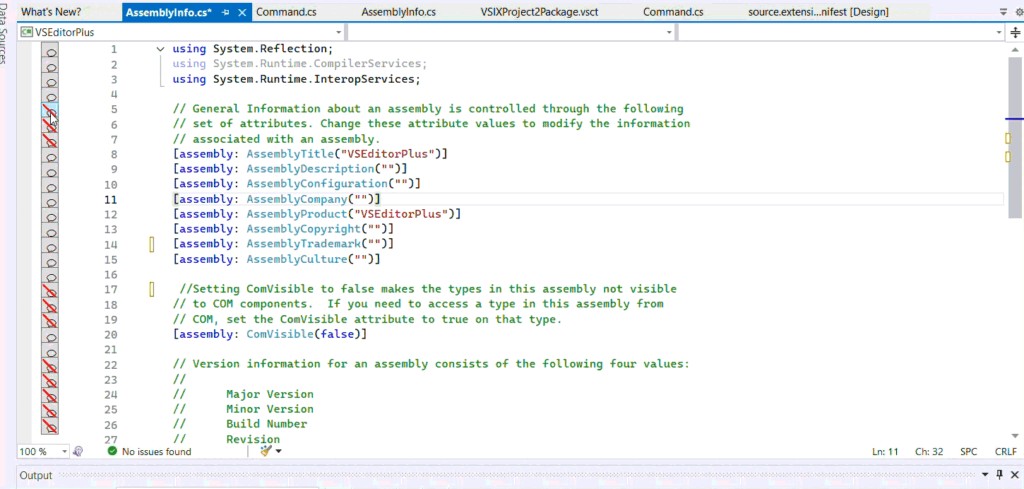
After using a control, check the edited lines and build or run the relevant tests. Commenting code out can change which statements execute, and uncommenting code can expose code that no longer compiles.
2. Find and remove methods that contain errors
The extension includes an action to identify methods that contain errors and remove those methods after confirmation. This may help when cleaning up a file, but an error does not necessarily mean a method is unwanted: the method could be incomplete work, a temporary debugging change, or code that depends on another unfinished change.
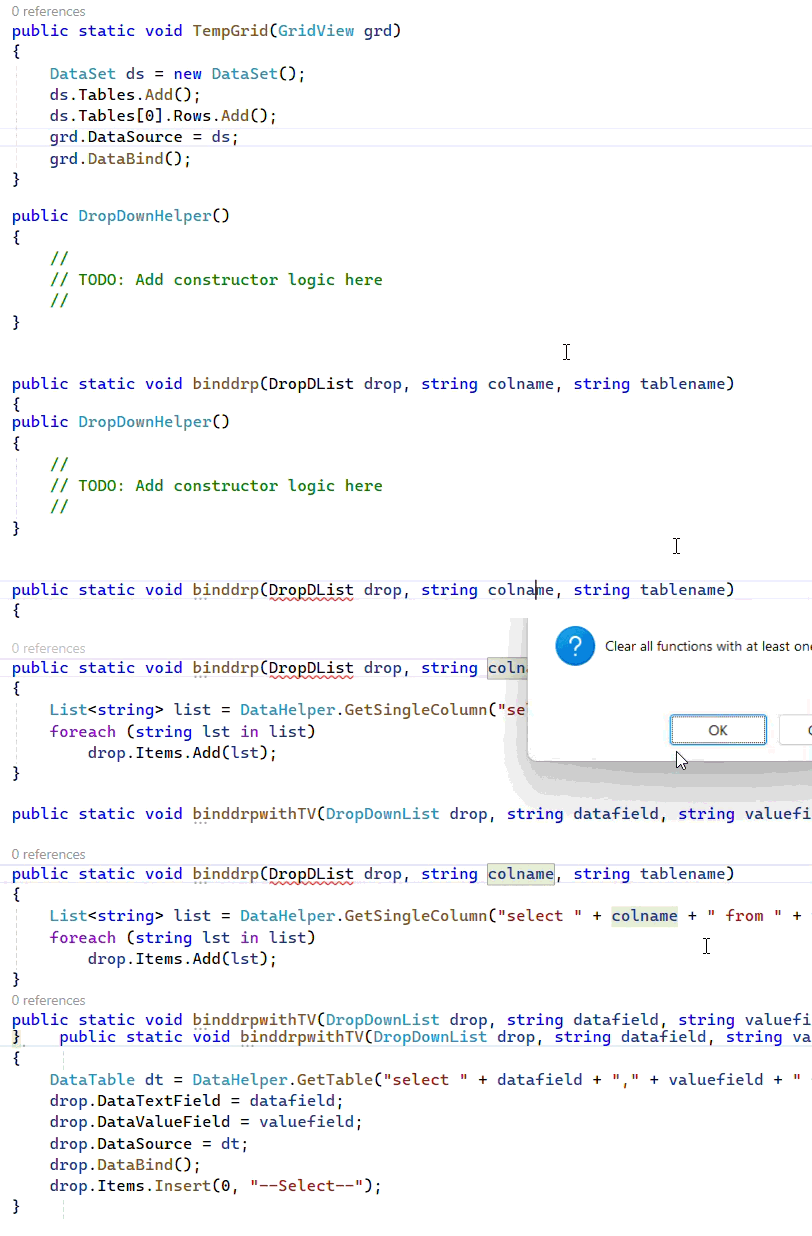
Use this action carefully. Commit your changes or make a copy of the file first, read the confirmation dialog, and inspect the resulting source diff. Do not use automated removal as a substitute for understanding the compiler errors.
3. Remove empty methods
A separate action can remove empty methods after confirmation. This can be useful during cleanup, but empty methods are sometimes intentional—for example, a required event handler, an override kept for a reason, or a method prepared for implementation later.

Review each proposed deletion. If a method is intentionally empty, keep it or document why it must remain in the file.
4. Copy a missing table from another database
The extension also documents a database helper that lists databases containing a table that is missing from the current context, then offers to copy a table after the user confirms the action.
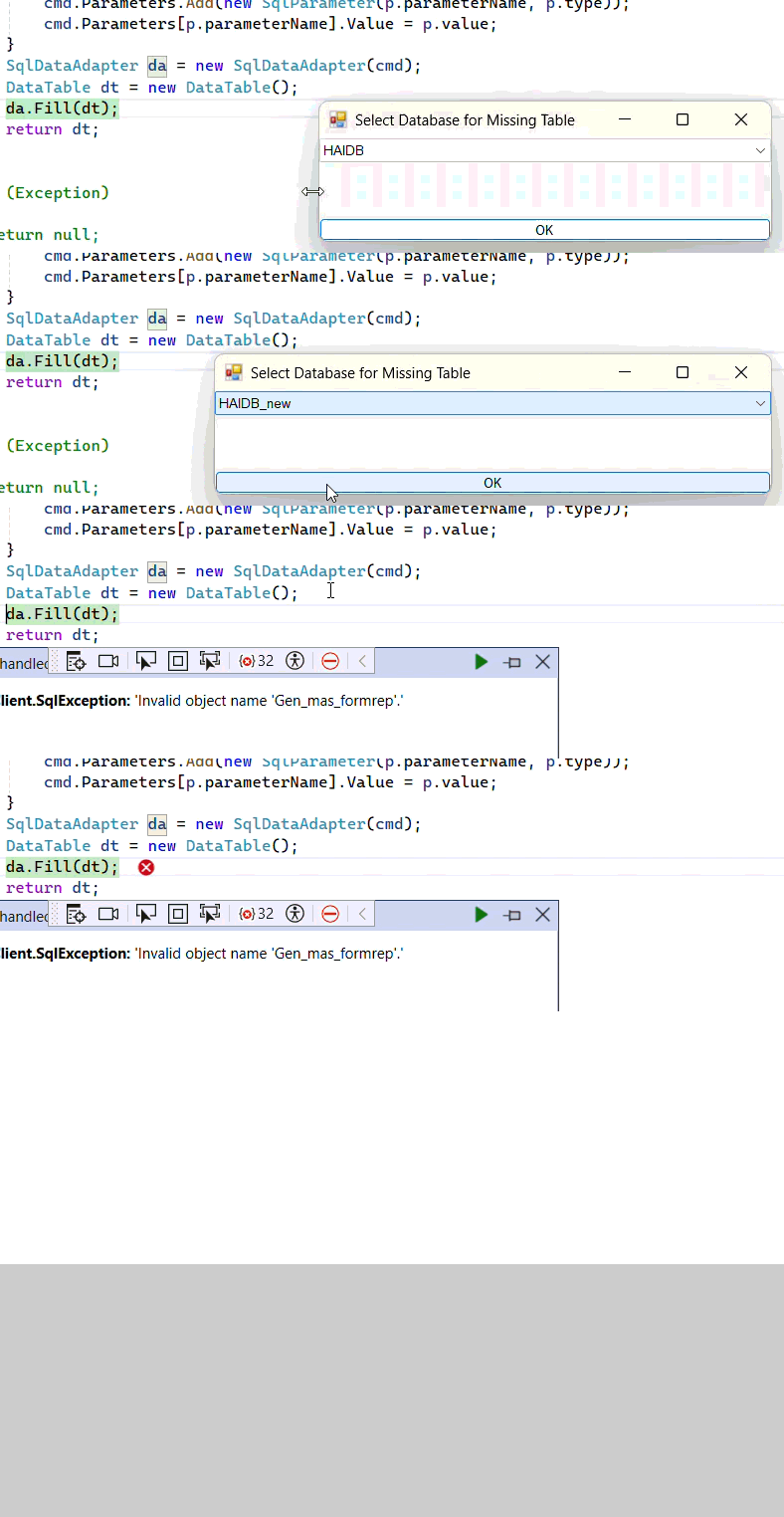
Database changes need extra care. Verify the source database, destination database, table name, and connection before confirming. Try the operation against a non-production copy first and make sure a recent backup is available. Confirm whether the operation copies the schema, data, or both for your particular workflow before relying on the result.
Installation and a sensible first run
- Open the VSEditorPlus Marketplace listing and follow its current installation instructions.
- Restart Visual Studio if the installer asks you to, then open a small C# or JavaScript file to try the inline commenting controls.
- Before testing a source-cleanup command, create a commit or copy of the file so you can restore the original if needed.
- Review the changes, rebuild the project, and run the relevant tests before keeping them.
- For the database helper, confirm source and destination details and test on non-production data first.
What this extension should—and should not—replace
VSEditorPlus provides shortcuts for specific editing and maintenance tasks. It does not prove that the remaining code is correct, explain every compiler error, or replace Visual Studio's compiler, debugger, source control, code review, and test workflow. Treat its actions as tools that still require developer judgement.
For the original announcement, see VS Editor Plus: a Visual Studio 2022 productivity extension. You can also browse the broader Visual Studio tutorials for debugging, package management, and development workflows.
Comments will appear here when available.